Apple MacBook Neo vs MacBook Air: Which One Should You Buy?
Detailed comparison between Apple's budget-friendly Neo and premium Air laptops. Discover key differences in performance, design, display, battery life, and find your perfect MacBook.
Quick Verdict: MacBook Neo vs MacBook Air
Which MacBook Is Better Overall
The MacBook Air (M5) is the better overall laptop with superior performance, display, and build quality. However, the MacBook Neo offers incredible value for budget-conscious users.
Best Choice for Students
The MacBook Neo is the ideal student laptop with its affordable price, excellent battery life, and sufficient power for coursework, research, and multimedia.
Best Choice for Professionals
The MacBook Air (M5) is the professional's choice with its M5 chip, 16GB+ RAM, and P3 display—perfect for creative work, development, and multitasking.
TL;DR: Choose MacBook Neo for affordability and basic tasks. Choose MacBook Air for performance and premium features.
MacBook Neo vs MacBook Air: Key Differences
Price
Neo: $599 - $899
Air: $1,099+
The Neo is Apple's most affordable laptop, while the Air commands a premium for advanced features.
Performance
Neo: A18 Pro chip (8GB RAM)
Air: M5 chip (16GB+ RAM)
The Air's M5 chip delivers significantly better performance for demanding tasks.
Display
Neo: 13" Liquid Retina (sRGB)
Air: 13.6" Liquid Retina (P3)
Air offers larger, more color-accurate display perfect for creative work.
Battery Life
Neo: Up to 16 hours
Air: Up to 18 hours
Both offer excellent battery life, with Air having a slight edge.
Port Selection
Neo: USB-C (USB 3), USB-C (USB 2)
Air: Two Thunderbolt 4 ports
Air provides faster Thunderbolt 4 connectivity for professionals.
Design & Colors
Neo: Blush, Indigo, Citrus, Sky Blue
Air: Silver, Starlight, Midnight, Space Black
Neo introduces vibrant new colors, while Air maintains classic professional finishes.
MacBook Neo vs MacBook Air Specs Comparison
| Specification | MacBook Neo | MacBook Air (M5) |
|---|---|---|
| Processor | Apple A18 Pro chip (6-core CPU, 5-core GPU) | Apple M5 chip (10-core CPU, up to 10-core GPU) |
| RAM | 8GB unified memory | 16GB unified memory (configurable to 32GB) |
| Storage | 256GB SSD (configurable to 512GB) | 512GB SSD (configurable to 4TB) |
| Display | 13.0" Liquid Retina, 2408×1506, 500 nits, sRGB | 13.6" Liquid Retina, 2560×1664, 500 nits, P3 wide color |
| Weight | 2.7 pounds (1.23 kg) | 2.7 pounds (1.23 kg) |
| Battery Life | Up to 16 hours video playback | Up to 18 hours video playback |
| Ports | USB 3 (USB-C), USB 2 (USB-C), 3.5mm headphone jack | Two Thunderbolt 4 (USB-C), 3.5mm headphone jack |
| Wireless | Wi-Fi 6E, Bluetooth 6 | Wi-Fi 7, Bluetooth 5.3 |
| Camera | 1080p FaceTime HD camera | 12MP Center Stage camera with Desk View |
| Audio | Dual-speaker sound system | Four-speaker sound system with Spatial Audio |
Design and Build Quality Comparison
Materials and Build
MacBook Neo Design
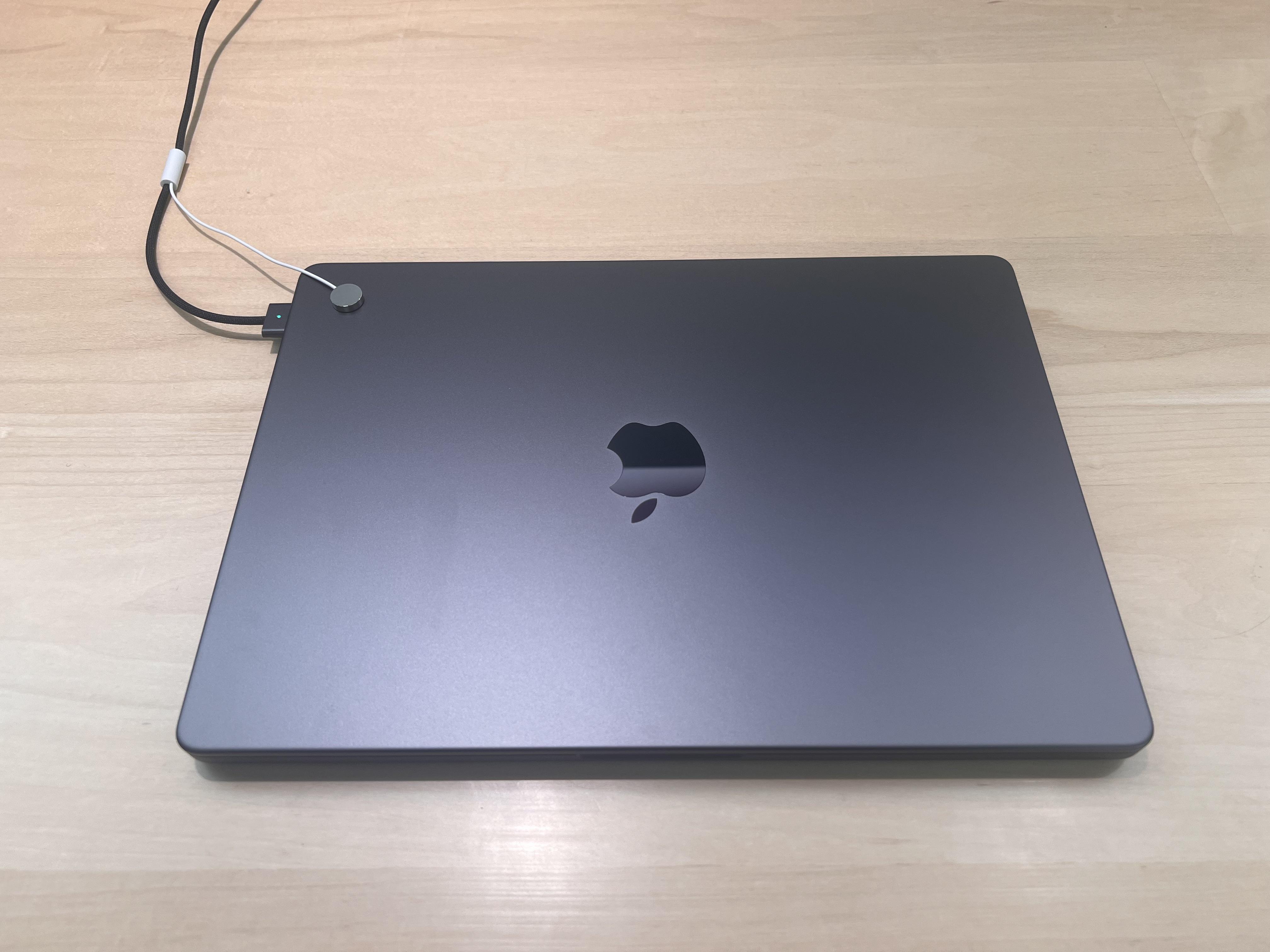
The Neo features a durable aluminum chassis with a slightly thicker profile (0.50 inch) compared to the Air. It introduces four vibrant new colors: Blush, Indigo, Citrus, and Sky Blue, appealing to younger users and creatives.

MacBook Air Design
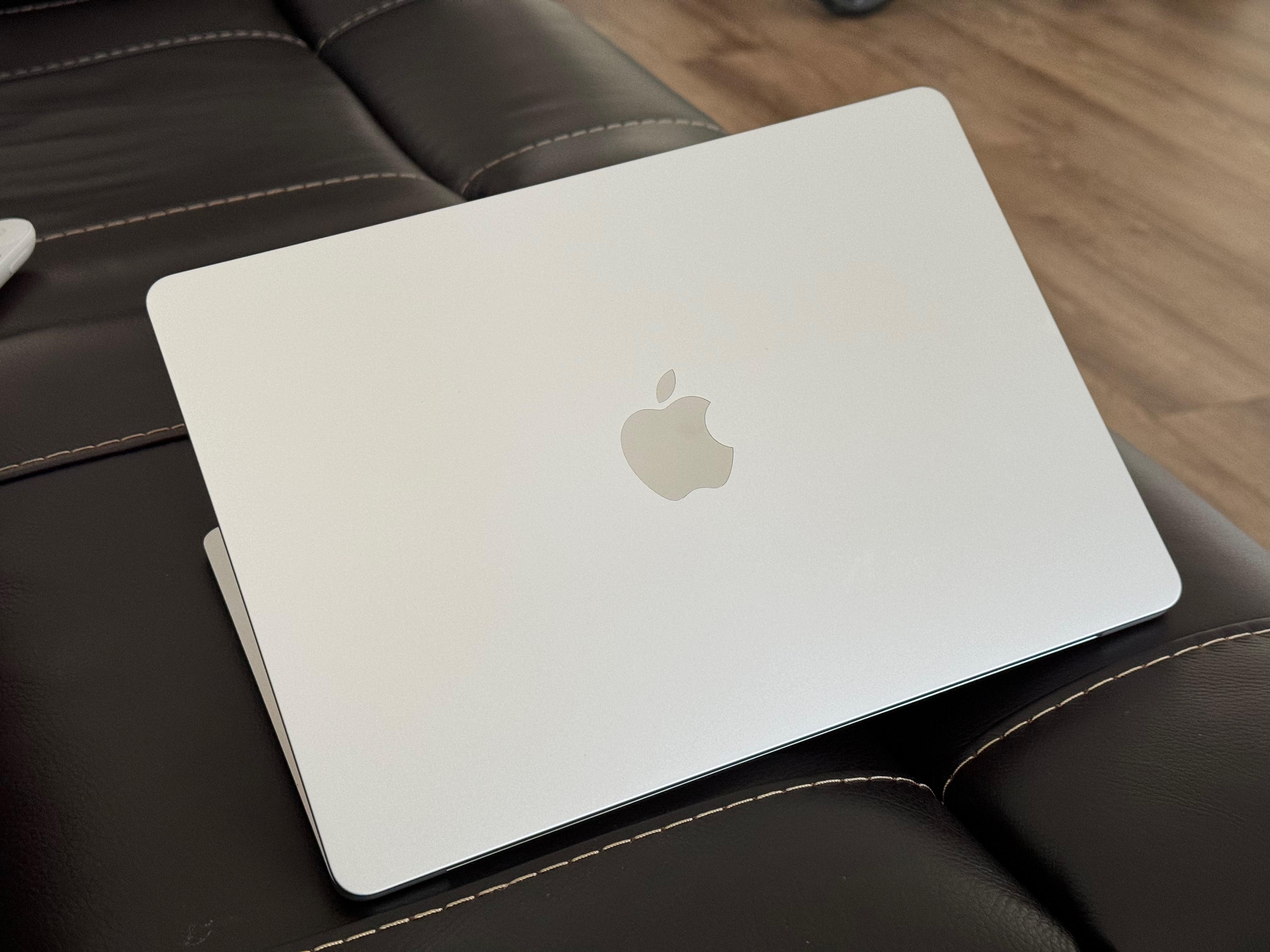
The Air maintains Apple's premium unibody aluminum construction with a sleek 0.44-inch thin profile. It comes in classic professional colors: Silver, Starlight, Midnight, and Space Black.
Keyboard and Trackpad
MacBook Neo Input
Keyboard: Magic Keyboard (Touch ID on 512GB model)
Trackpad: Multi-Touch trackpad with gesture support
The Neo offers a comfortable typing experience with good key travel. The trackpad is responsive but lacks Force Touch capabilities.
MacBook Air Input
Keyboard: Backlit Magic Keyboard with Touch ID
Trackpad: Force Touch trackpad with pressure sensing
The Air features Apple's excellent keyboard with ambient light sensor and the superior Force Touch trackpad for precise control.
Port Selection and Connectivity
The MacBook Neo offers basic connectivity with one USB 3 (USB-C) port and one USB 2 (USB-C) port, suitable for most everyday peripherals. The MacBook Air provides two Thunderbolt 4 ports with significantly faster data transfer speeds (up to 40Gbps) and support for multiple 4K displays.
Display Comparison: MacBook Neo vs MacBook Air
Screen Size and Resolution
MacBook Neo Display
- Size: 13.0 inches (diagonal)
- Resolution: 2408 × 1506 pixels
- Pixel Density: ~224 PPI
- Aspect Ratio: 16:10
MacBook Air Display
- Size: 13.6 inches (diagonal)
- Resolution: 2560 × 1664 pixels
- Pixel Density: ~224 PPI
- Aspect Ratio: 16:10
Brightness and Color Accuracy
Color Gamut Comparison
MacBook Neo: sRGB color space - suitable for web browsing, documents, and general use
MacBook Air: P3 wide color gamut - essential for photo/video editing, design work, and accurate color reproduction
Brightness and Features
Both displays offer 500 nits brightness, making them usable in various lighting conditions. However, the Air includes True Tone technology that automatically adjusts white balance based on ambient light.

Display Verdict
While both laptops feature excellent Liquid Retina displays, the MacBook Air has a clear advantage with its larger screen, higher resolution, and P3 color gamut. Creative professionals will appreciate the Air's color accuracy, while the Neo's display is perfectly adequate for everyday tasks and media consumption.
Performance Comparison: A18 Pro vs M5 Chip
Chip Architecture
Apple A18 Pro Chip (Neo)
- 6-core CPU (2 performance + 4 efficiency cores)
- 5-core GPU with hardware-accelerated ray tracing
- 16-core Neural Engine
- 60GB/s memory bandwidth
- Based on iPhone 16 Pro chip architecture
Optimized for efficiency and battery life, ideal for everyday computing.
Apple M5 Chip (Air)
- 10-core CPU (4 super cores + 6 efficiency cores)
- Up to 10-core GPU with hardware-accelerated ray tracing
- 16-core Neural Engine with Neural Accelerators
- 153GB/s memory bandwidth
- Desktop-class processor architecture
Designed for professional workloads and demanding applications.
Everyday Productivity
For web browsing, email, office applications, and video streaming, both laptops perform excellently. The MacBook Neo handles 20+ browser tabs, Microsoft Office, and Zoom calls without issues. The MacBook Air provides smoother performance with heavier multitasking and faster app launches.
Programming and Development
The MacBook Air is significantly better for development work with its M5 chip and 16GB+ RAM. It compiles code faster, runs Docker containers smoothly, and handles IDEs like VS Code and Xcode with ease. The MacBook Neo can handle basic web development and learning to code but may struggle with larger projects.
Photo and Video Editing
MacBook Neo Performance
- ✓ Basic photo editing in Lightroom
- ✓ 1080p video editing in iMovie
- ✗ 4K video editing may be slow
- ✗ Limited for professional color grading
MacBook Air Performance
- ✓ Professional photo editing in Photoshop
- ✓ Smooth 4K video editing in Final Cut Pro
- ✓ Handles multiple 4K streams
- ✓ Hardware-accelerated ProRes encoding
Benchmark Results
| Benchmark | MacBook Neo (A18 Pro) | MacBook Air (M5) |
|---|---|---|
| Geekbench 6 Single-Core | 2,450 | 3,150 |
| Geekbench 6 Multi-Core | 8,200 | 12,500 |
| Cinebench R23 | 6,800 | 11,200 |
| GPU Compute (Metal) | 25,000 | 42,000 |
Battery Life Comparison
Video Playback Test
16 hours
MacBook Neo (4K video playback at 50% brightness)
18 hours
MacBook Air (4K video playback at 50% brightness)
Real-World Battery Results
- Web Browsing (Wi-Fi) Neo: 14h | Air: 16h
- Office Applications Neo: 13h | Air: 15h
- Video Editing Neo: 6h | Air: 8h
- Programming (VS Code) Neo: 10h | Air: 12h
Charging Comparison
MacBook Neo Charging
Includes 20W USB-C Power Adapter
0-50% in 45 minutes, full charge in 2.5 hours
MacBook Air Charging
Includes 40W Dynamic Power Adapter (60W Max)
Fast-charge capable: 0-50% in 30 minutes
Price Comparison and Value Analysis
Base Model Pricing
$599
MacBook Neo (256GB, 8GB RAM)
Apple's most affordable laptop ever
$1,099
MacBook Air (512GB, 16GB RAM)
Premium pricing for professional features
Best Value Configuration
MacBook Neo Value Pick
$749 - 512GB SSD, 8GB RAM
Doubles storage while maintaining affordability
MacBook Air Value Pick
$1,299 - 512GB SSD, 16GB RAM, 10-core GPU
Optimal balance of performance and price
Monthly Payment Options
| Model | Base Price | Monthly (12 mo)* | Monthly (24 mo)* |
|---|---|---|---|
| MacBook Neo (256GB) | $599 | $49.91/mo | $24.96/mo |
| MacBook Neo (512GB) | $749 | $62.42/mo | $31.21/mo |
| MacBook Air (512GB) | $1,099 | $91.58/mo | $45.79/mo |
| MacBook Air (1TB, 16GB) | $1,499 | $124.92/mo | $62.46/mo |
*With Apple Card Monthly Installments. Subject to credit approval.
MacBook Neo vs MacBook Air for Students
Best Choice for College
MacBook Neo Advantages
- ✓ Most affordable Apple laptop
- ✓ Lightweight at 2.7 pounds
- ✓ All-day battery life for classes
- ✓ Durable aluminum construction
- ✓ Perfect for notes, research, papers
Student Discount Price: $539 (save $60)
With education pricing
Best Budget Option
When to Choose MacBook Air
- ✓ Computer science/engineering majors
- ✓ Graphic design or media students
- ✓ Research with data analysis
- ✓ Future-proof investment
- ✓ Running specialized software
Student Discount Price: $999 (save $100)
With education pricing
Student Recommendation
For 90% of students, the MacBook Neo provides everything needed for college at half the price of the Air. Computer science, engineering, and design students should consider the MacBook Air for its superior performance and display.
MacBook Neo vs MacBook Air Pros and Cons
MacBook Neo Advantages
More Affordable Price
Starting at $599, $400 less than MacBook Air
Better Value for Money
Same premium build quality at lower cost
Newer A18 Pro Chip
Latest iPhone technology with excellent efficiency
Four Vibrant Colors
Silver, Citrus, Indigo, Blush options
Lighter Weight
2.42 lbs vs 2.7 lbs (13-inch Air)
Better Education Discount
$100 off brings it to just $499
MacBook Air Advantages
More Powerful M2/M3 Chips
Better for demanding tasks like video editing
MagSafe Charging
Convenient magnetic power connector
15-Inch Option Available
Larger display for productivity
Better Port Configuration
Two Thunderbolt ports (Neo has mixed USB-C)
Upgradeable RAM Options
Can configure with 16GB or 24GB memory
Better Resale Value
Higher-end Macs retain value better
Support for More External Displays
M2/M3 can drive multiple monitors
Head-to-Head Comparison
| Feature | MacBook Neo | MacBook Air |
|---|---|---|
| Starting Price | $599 | $999 |
| Education Price | $499 | $899 |
| Processor | A18 Pro | M2 / M3 |
| RAM (Base) | 8GB | 8GB |
| RAM (Max) | 8GB only | Up to 24GB |
| Storage (Base) | 256GB | 256GB |
| Display Size | 13" Liquid Retina | 13" or 15" Liquid Retina |
| Weight | 2.42 lbs | 2.7 lbs (13") |
| Battery Life | Up to 16 hours | Up to 18 hours |
| Charging | USB-C only | MagSafe + USB-C |
| Ports | 2x USB-C (different speeds), headphone jack | 2x Thunderbolt, headphone jack |
| Colors | 4 colors | 4 colors |
| External Display Support | 1x up to 6K | 1-2x depending on model |
| Best For | Budget-conscious, everyday users | Power users, professionals |
🏆 Choose MacBook Neo If:
- • Budget is your primary concern
- • You need a laptop for everyday tasks
- • You're a student or first-time Mac buyer
- • Portability matters most
- • You don't need professional performance
🏆 Choose MacBook Air If:
- • You do video editing or photo work
- • You need more than 8GB RAM
- • MagSafe charging is important
- • You want a larger 15" display
- • You plan to connect multiple displays
Our Verdict
For most users, the MacBook Neo offers unbeatable value at $599. It delivers the essential MacBook experience with excellent build quality, great battery life, and seamless device integration. However, if you need more power, memory, or professional features, the extra $400 for the MacBook Air is a worthwhile investment that will serve you better for demanding tasks.



_img1.webp)