MacBook Neo vs MacBook Air M2: Full Comparison Guide
An in-depth analysis to help you choose between Apple's budget-friendly newcomer and the beloved ultra-portable powerhouse.
Quick Verdict: MacBook Neo vs MacBook Air M2
The MacBook Neo is a budget-focused, entry-level laptop ($599) designed for everyday tasks using A18 Pro silicon, whereas the MacBook Air M2 ($1099) offers superior performance, better display quality, and faster connectivity for professional or intensive use.
The Neo is best for students and casual users, while the Air is ideal for creators and multitaskers.
Which Laptop Is More Powerful?
The MacBook Air M2 is significantly more powerful, with better multi-core CPU performance and a more advanced GPU, making it suitable for demanding tasks.
Best Choice for Students
The MacBook Neo offers incredible value, handling web research, document editing, and video streaming with ease, making it the top budget pick for campus life.
Best Choice for Professionals
The MacBook Air M2 is the clear winner for professionals needing reliable performance for creative suites, coding environments, and heavy multitasking.
MacBook Neo vs MacBook Air M2: Specs Comparison
| Feature | MacBook Neo | MacBook Air M2 |
|---|---|---|
| Processor | Apple A18 Pro (8-core) | Apple M2 (8-core CPU) |
| GPU | Integrated 10-core GPU | Integrated 8-core or 10-core GPU |
| RAM | 8GB Unified Memory | 8GB / 16GB / 24GB Unified Memory |
| Storage | 256GB / 512GB SSD | 256GB / 512GB / 1TB / 2TB SSD |
| Display | 13-inch IPS, 2560x1600, 60Hz, No Notch | 13.6-inch Liquid Retina, 2560x1664, 60Hz, Notch |
| Battery | Up to 15 hours web browsing | Up to 18 hours Apple TV app playback |
| Weight | 1.24 kg (2.73 lbs) | 1.24 kg (2.73 lbs) |
Design and Build Quality: MacBook Neo vs Air M2

Materials and Build Quality
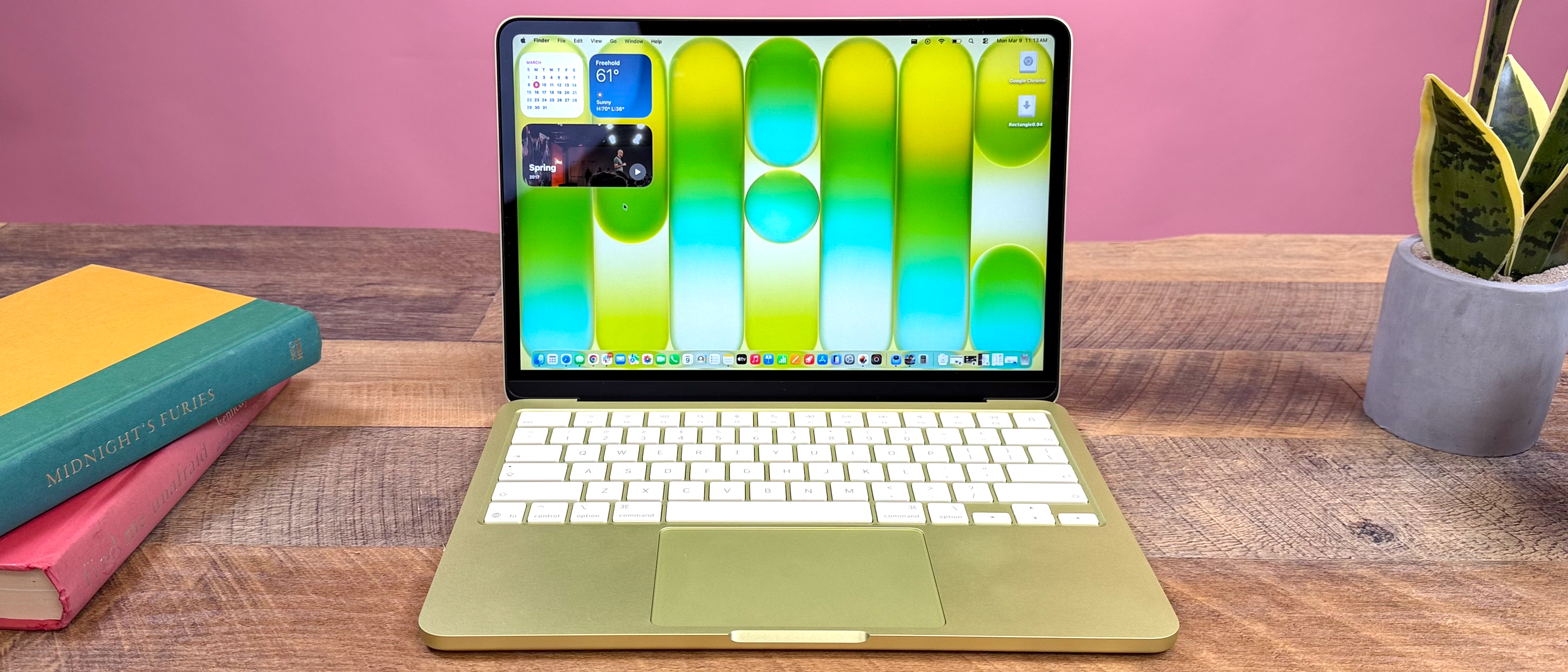
The MacBook Neo uses a high-quality polycarbonate composite chassis that feels surprisingly solid and durable, reminiscent of the classic unibody MacBooks. The MacBook Air M2 features a premium 100% recycled aluminum enclosure, offering a more traditional, sleek Apple aesthetic.
Thickness, Weight, and Ergonomics
Both laptops weigh an identical 1.24kg. The Neo is slightly thicker (1.56 cm vs 1.13 cm), which some users find gives it a more substantial, comfortable grip. The Air M2 remains the king of ultra-portable form factors.
Keyboard and Trackpad
A major differentiator: The MacBook Neo's keyboard lacks a backlight, which can be a significant drawback in low-light conditions. Both feature Apple's excellent Magic Keyboard and large Force Touch trackpads.
Display Comparison: Screen Quality Face-Off
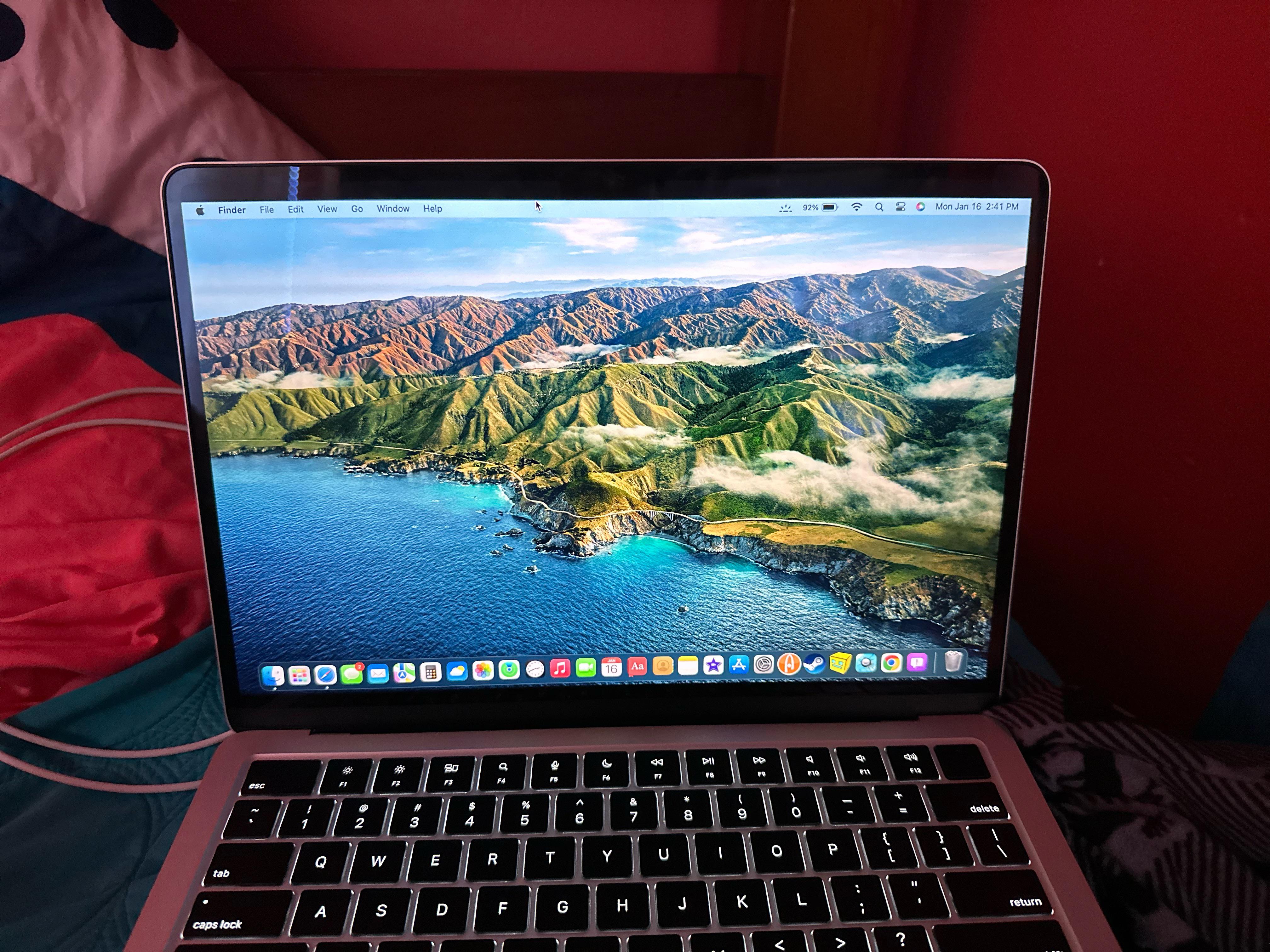
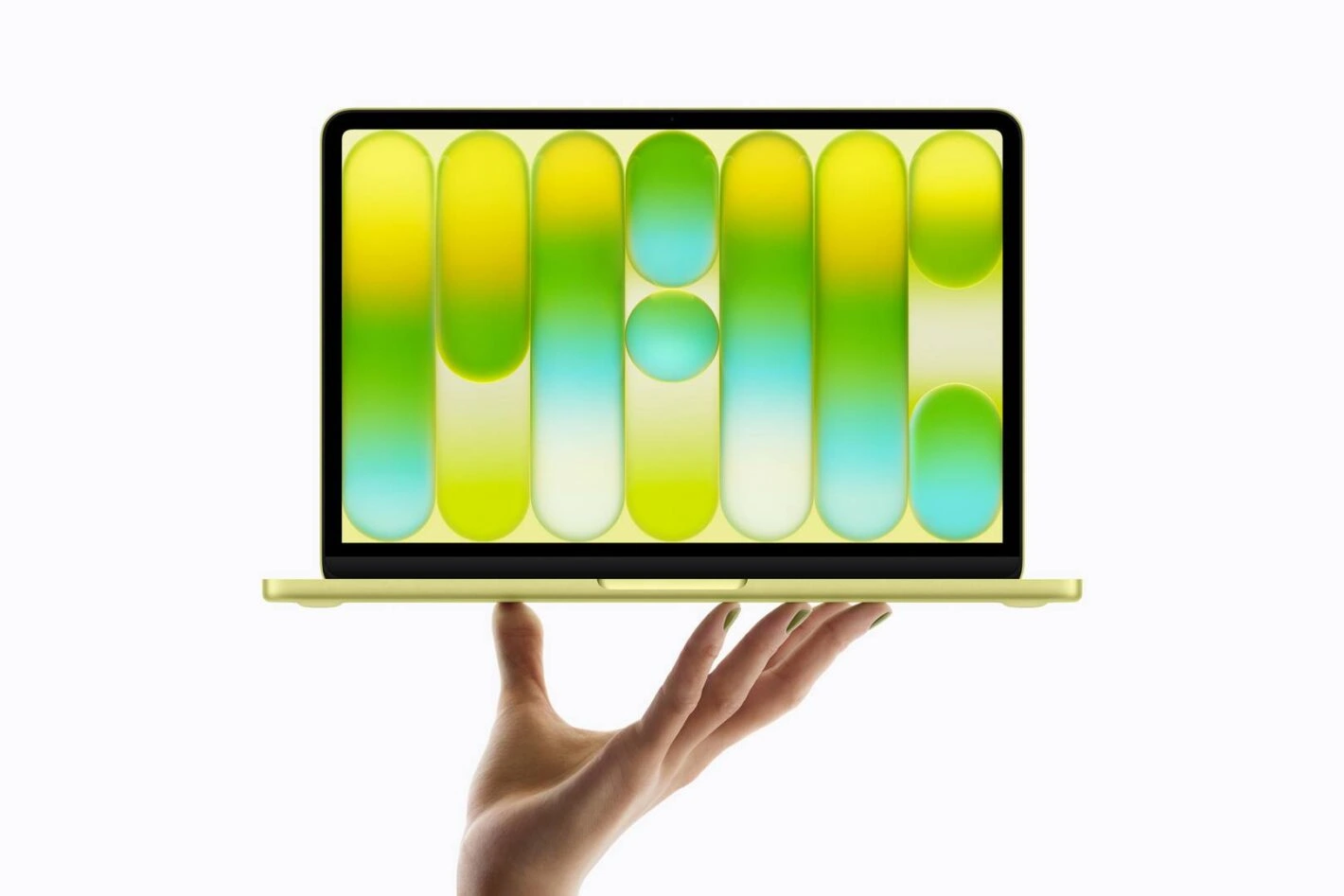
MacBook Neo: A clean, notch-free display.
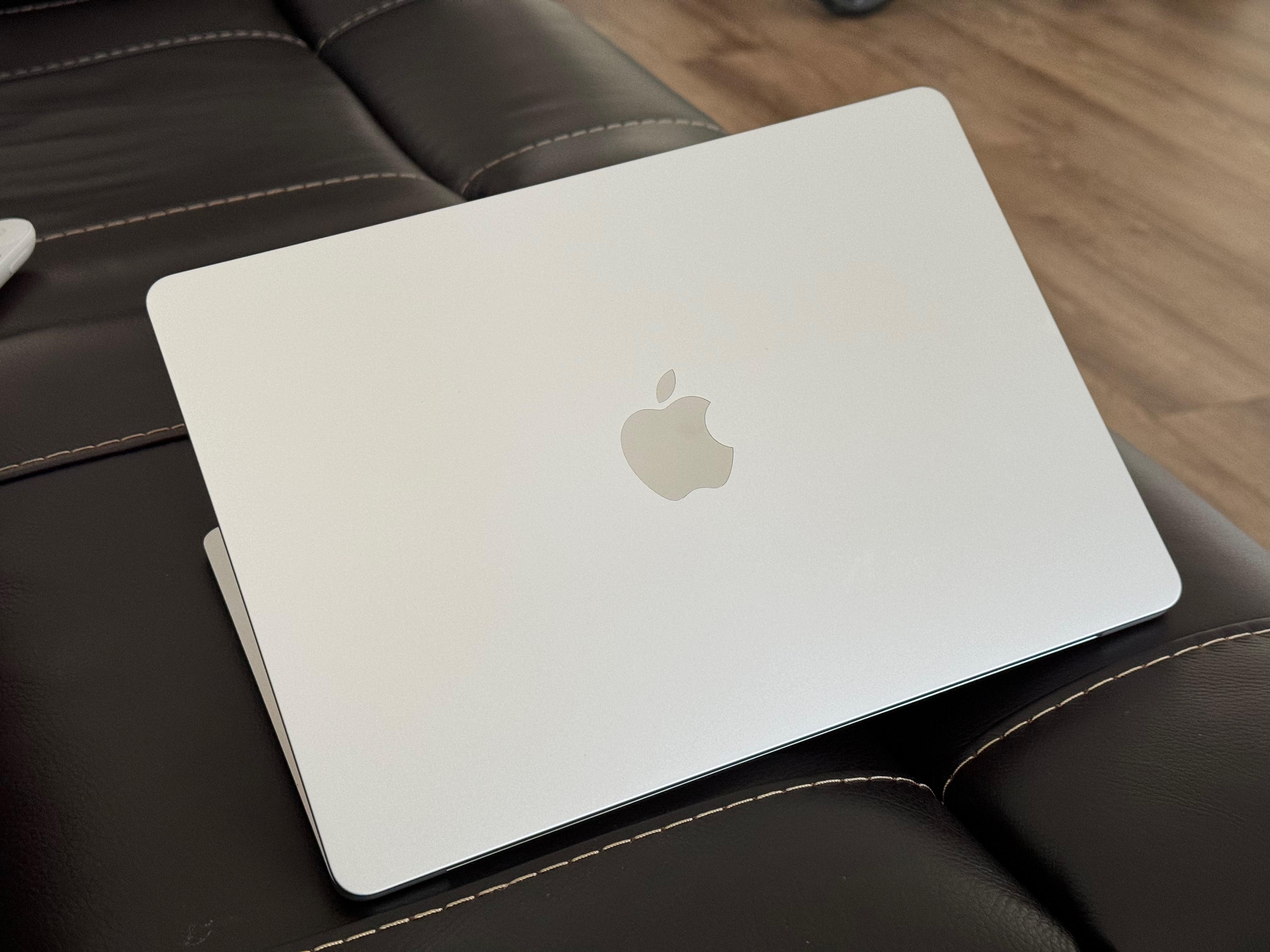
MacBook Air M2: Features a notch for the 1080p camera.
Screen Size, Resolution, and Brightness
The Air M2 has a slightly larger 13.6-inch screen with higher peak brightness (500 nits) and True Tone technology. The Neo's 13-inch display is bright enough for indoor use (400 nits) but can struggle in direct sunlight.
Color Accuracy and Real-World Use
The Air M2's Liquid Retina display supports P3 wide color gamut, essential for photo and video editing. The Neo's IPS screen covers 100% sRGB, making it excellent for everyday tasks and media consumption, but not for professional color work.
Notch vs No Notch: This is a personal preference. Some find the Air's notch intrusive for the menu bar, while others appreciate the extra screen real estate it provides. The Neo offers a completely uniform top bezel.
Performance Comparison: A18 Pro vs M2 Chip
CPU and GPU Performance
The M2 chip in the Air is a desktop-class processor with superior multi-core performance and sustained workloads. The A18 Pro in the Neo, derived from iPhone silicon, is incredibly efficient and snappy for single-core tasks but can throttle under prolonged heavy load.
The Air M2's GPU options provide significantly better graphics performance for light gaming, 3D modeling, and video rendering.
Real-World Usage Scenarios
- Office Work & Browsing: Both are flawless. The Neo feels just as fast for emails, documents, and web apps.
- Programming: The Air M2 with 16GB+ RAM is better for running VMs, Docker, and complex IDEs. The Neo can handle light scripting and web development.
- Photo Editing: Lightroom and Photoshop run well on both for basic edits. For large RAW files and filters, the Air M2's GPU and faster memory bandwidth provide a smoother experience.
- Video Editing: The Air M2 can handle 4K timeline editing in Final Cut Pro. The Neo is limited to 1080p editing and simpler projects.
Video: Benchmark tests comparing the two laptops.
Battery Life and Portability
Battery Capacity and Real-World Tests
Despite its lower price, the MacBook Neo boasts impressive battery life, easily lasting a full school or work day (10-12 hours) of mixed use. The MacBook Air M2 sets the gold standard, often achieving 14-16 hours for similar tasks, thanks to the ultra-efficient M2 architecture.
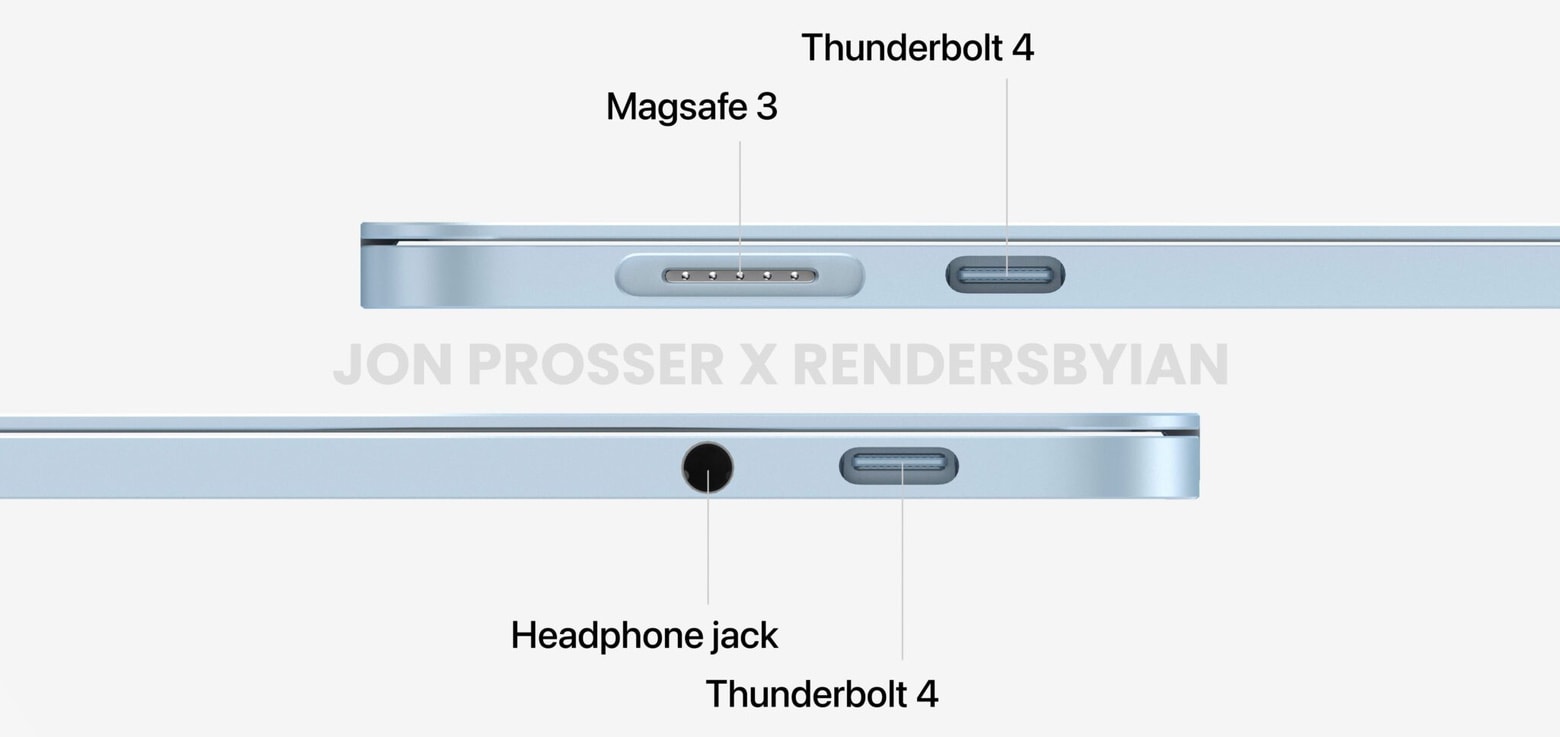
Charging: The Air M2 features MagSafe charging, allowing for a quick snap-on connection and freeing up a Thunderbolt port. The Neo uses a standard USB-C port for charging.
Verdict: Both have excellent battery life. The Air M2 has a clear edge for marathon sessions away from an outlet, but the Neo is no slouch and will satisfy most users.
Price Comparison: Value for Money
MacBook Neo
From $599
Base Model: 8GB RAM, 256GB SSD, A18 Pro Chip.
Best Value Configuration:
Upgrading to the 512GB SSD model ($749) is highly recommended. This configuration also includes the Touch ID sensor, which is absent in the base model, and provides crucial storage headroom for the unified memory to operate efficiently.
MacBook Air M2
From $1099
Base Model: 8GB RAM, 256GB SSD, 8-core GPU.
Best Value Configuration:
For most professionals, the 16GB RAM / 512GB SSD configuration (~$1399) offers the perfect balance of future-proof performance and storage, unlocking the full potential of the M2 chip for multitasking and creative work.
MacBook Neo vs MacBook Air M2 for Students
Best MacBook for College: The Budget-Friendly Choice
For the vast majority of students, the MacBook Neo is the smarter purchase. It handles note-taking, research, writing papers, video lectures, and casual entertainment perfectly. The $500+ savings can be put toward textbooks, software, or an external monitor.
When a Student Should Consider the Air M2
Students in engineering, computer science, graphic design, or media production should lean towards the MacBook Air M2 (preferably with 16GB RAM). Its extra power will handle specialized software (CAD, Xcode, Adobe Suite) without frustration.
Pros and Cons Summary
MacBook Neo Pros
- Exceptional value for money ($599 starting price).
- Clean, notch-free display design.
- Solid build quality with comfortable, grippy chassis.
- More than enough performance for everyday tasks.
- Great battery life for the price.
MacBook Neo Cons
- No keyboard backlight (a major oversight).
- Speakers are tinny compared to the Air.
- Display is dimmer and less color-accurate.
- No MagSafe or Thunderbolt ports.
- Performance ceiling is lower for pro apps.
MacBook Air M2 Pros
- Outstanding performance per watt with the M2 chip.
- Bright, beautiful, color-accurate Liquid Retina display.
- Industry-leading battery life.
- Premium aluminum build, ultra-thin design.
- Excellent speakers and microphone array.
- MagSafe charging and Thunderbolt 4 support.
MacBook Air M2 Cons
- Significantly more expensive.
- The display notch is divisive.
- Base model storage (256GB) can feel limiting.
- Can get expensive with RAM/SSD upgrades.
Which MacBook Should You Buy?
Buy the MacBook Neo If...
- Your budget is tight ($600-$800 range).
- You are a student, casual user, or need a secondary laptop.
- Your tasks are web browsing, office apps, streaming, and light productivity.
- You prefer a notch-free display.
- You value cost savings over peak performance and premium features.
Buy the MacBook Air M2 If...
- You need reliable performance for professional or creative work.
- You are a developer, content creator, or power multitasker.
- You value the best possible display, speakers, and build quality.
- You want the longest possible battery life and MagSafe convenience.
- You plan to keep the laptop for 5+ years and need it to remain performant.
Final Verdict
The MacBook Air M2 remains the best all-around ultraportable laptop for most people who can afford it. It delivers a no-compromise experience with stellar performance, battery life, and display quality.
However, the MacBook Neo is a game-changer. It successfully brings the core Mac experience to a much lower price point, challenging the stagnant mid-range Windows market. For budget-conscious buyers, students, and casual users, it offers tremendous value and is the more practical and recommended choice.
You are not settling much with the Neo; you are spending wisely. You are investing in excellence with the Air M2.
MacBook Neo vs MacBook Air M2: Frequently Asked Questions
Is MacBook Neo faster than MacBook Air M2?
No. For short, bursty tasks like opening apps or loading web pages, they feel similar. However, for sustained workloads like video exporting, code compilation, or heavy multitasking, the MacBook Air M2 is significantly faster due to its more powerful M2 chip and better thermal design.
Is MacBook Air M2 worth the extra price over the Neo?
It depends on your needs. If you are a professional, creator, or power user who relies on your laptop for work, the Air M2's superior performance, display, and build quality are absolutely worth the premium. For casual use, the Neo offers 90% of the experience for 60% of the price.
Which MacBook is better for programming?
For computer science students or professionals, the MacBook Air M2 with 16GB of RAM is the better choice. The extra memory is crucial for running virtual machines, Docker containers, and complex IDEs smoothly. The Neo with 8GB RAM is sufficient for learning web development or light scripting.
Is MacBook Neo good for students?
Yes, it is an excellent choice for students. It handles all typical academic tasks—research, writing papers, presentations, video calls, and streaming—with ease. Its low price, good battery life, and durable build make it the ideal campus companion, freeing up budget for other essentials.


_img1.webp)